



Paze 是一個比較新的,類似於Zelle的服務. 他們和銀行合作, 把你的信用卡存在paze錢包裏面,然後你在有些網站(Newegg, Sephora, etc) 買東西的時候可以用Paze來結賬.
Paze 前段時間推出了Chase UR卡可以拿10x UR 點數的活動,很受歡迎. 現在他們又出了新活動, 就是 「花$10退$10, 每張卡可以退10次「. 腦袋運轉快的同學會發現這等於是每張信用卡可以賺$100, 有10張卡的話就是賺$1000. 幾天前這個活動剛出來的時候大家買Newegg上的禮卡買翻天了,現在Newegg 不賣禮卡了. 不過沒事, 我們不買禮卡,我們買Sephora.
Step 1. 去Sephora 註冊個賬號, 如果已經有老賬號的話請跳過這一步.
Step 2. 去paze.com 點Activate,然後輸入你的電話號碼和email(這個email要和你的sephora賬號一樣的)
Step 3. 你的卡會自動加入paze. 如果每看到的話,不同銀行有不同的操作方法:
Step 4. 去Sephora找$10 左右的東西然後加一個進購物籃. 每一單最後加完稅要超過$10, 最好不要超過太多,畢竟我們不想花太多錢. 下面是一些這個價位的商品:
The Ordinary Hyaluronic Acid 2% + B5 Hydrating Serum with Ceramides
The Ordinary Lactic Acid 10% + HA 2% High-Strength Exfoliating Serum for Uneven Texture
innisfree Retinol Green Tea PDRN™ Firming & Smoothing Serum-Infused Mask
Dr Jart Ceramidin™ Skin Barrier Moisturizing Mask
Dr Jart Hydro Firming Korean Face Mask with Hydrolyzed Collagen
Dr Jart Vital Hydra Solution™ PRO Glow Face Mask with Hyaluronic Acid
Sephora Collection Cleansing + Exfoliating Wipes
Step 5. 在購物籃里加兩個免費的samples
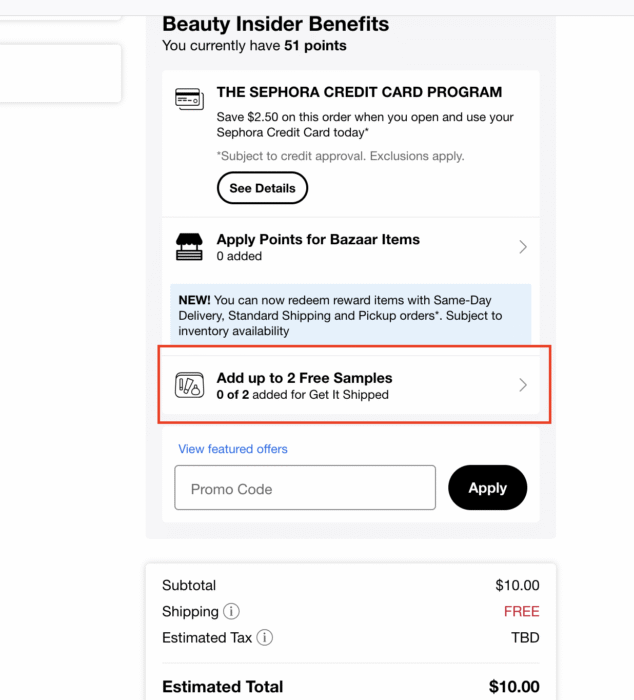
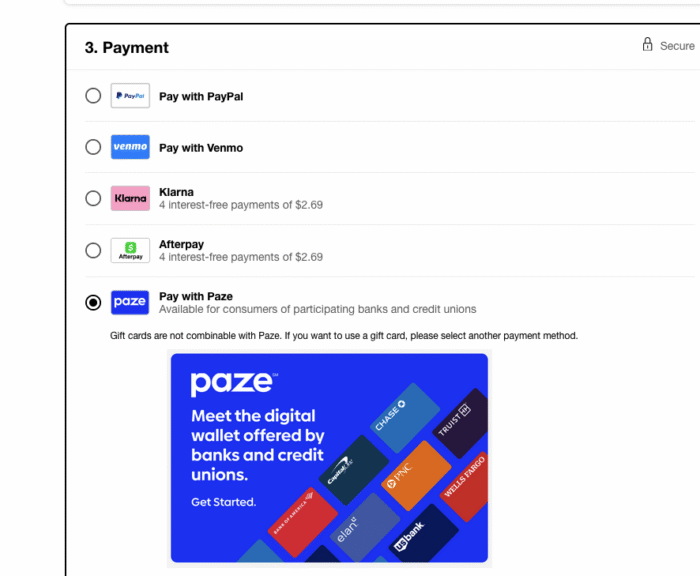
Step 6. 點Checkout,可以選store pickup 或者free shipping,然後Payment 部分選paze. 如果看不到paze選項的話可能是因為你的sephora email和paze email不是一樣的. 要去改sephora email.
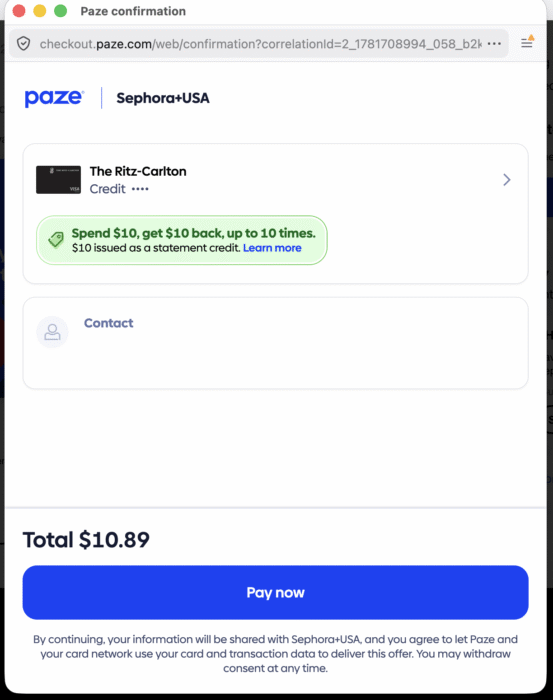
Step 7. 用Checkout 的時候要看到這個”Spend $10 get $10 back” 的banner才能放心checkout
Step 8. 每張卡下10單, paze有多少張卡就可以沖x10. 不過風險不是沒有的,大家自己考慮一下risk vs reward:
- Paze可能耍賴,然後只給每個paze賬號 $10×10=$100
- Sephora 可能砍你的單
- 你信用卡公司可能看你在sephora買了這麼多單,以為你的卡被盜,然後鎖你的卡