


在美國讀書工作的朋友們,相比都跟美簽 DS-160 表格打過多次交道了。很多人沒有意識到,有一個辦法可以復用以前填過的內容,而不用每次都重新填寫所有內容!下面是具體步驟:
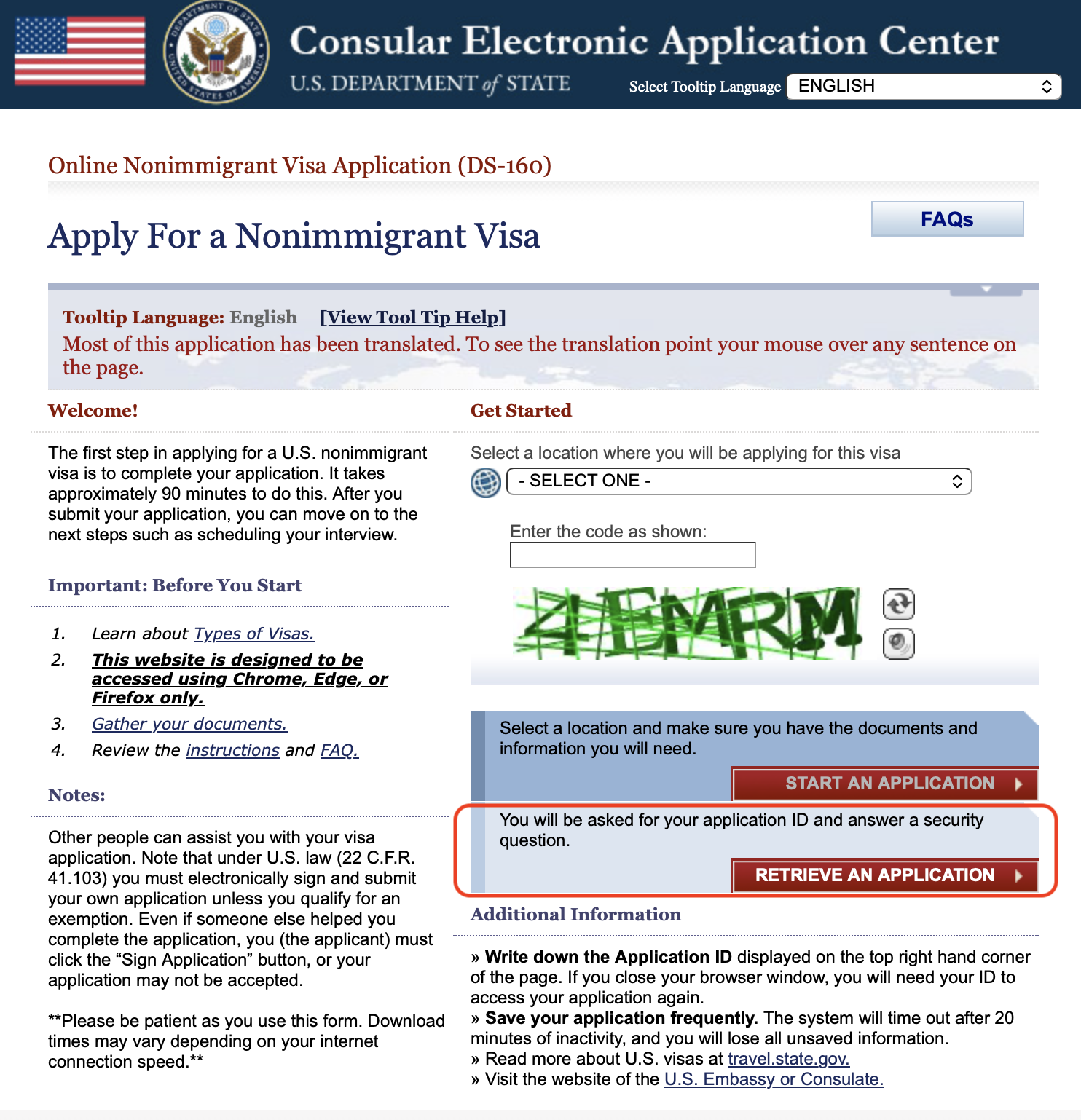
- 首先打開 DS-160 的官網,然後點擊 “retrieve an application” 而不是 “start an application”:
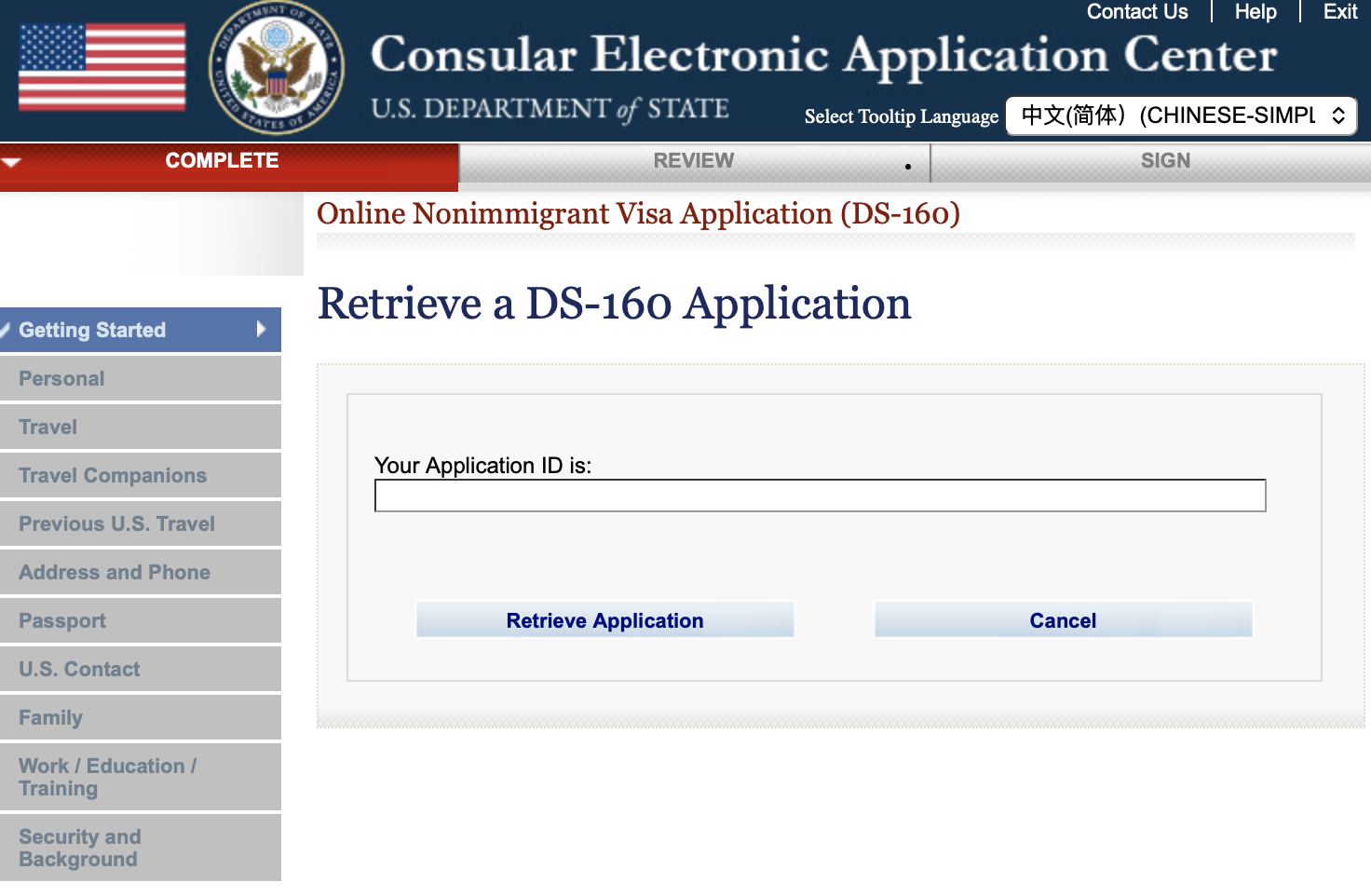
- 輸入上次填寫的 DS-160 表格的 application ID,以AA開頭的:
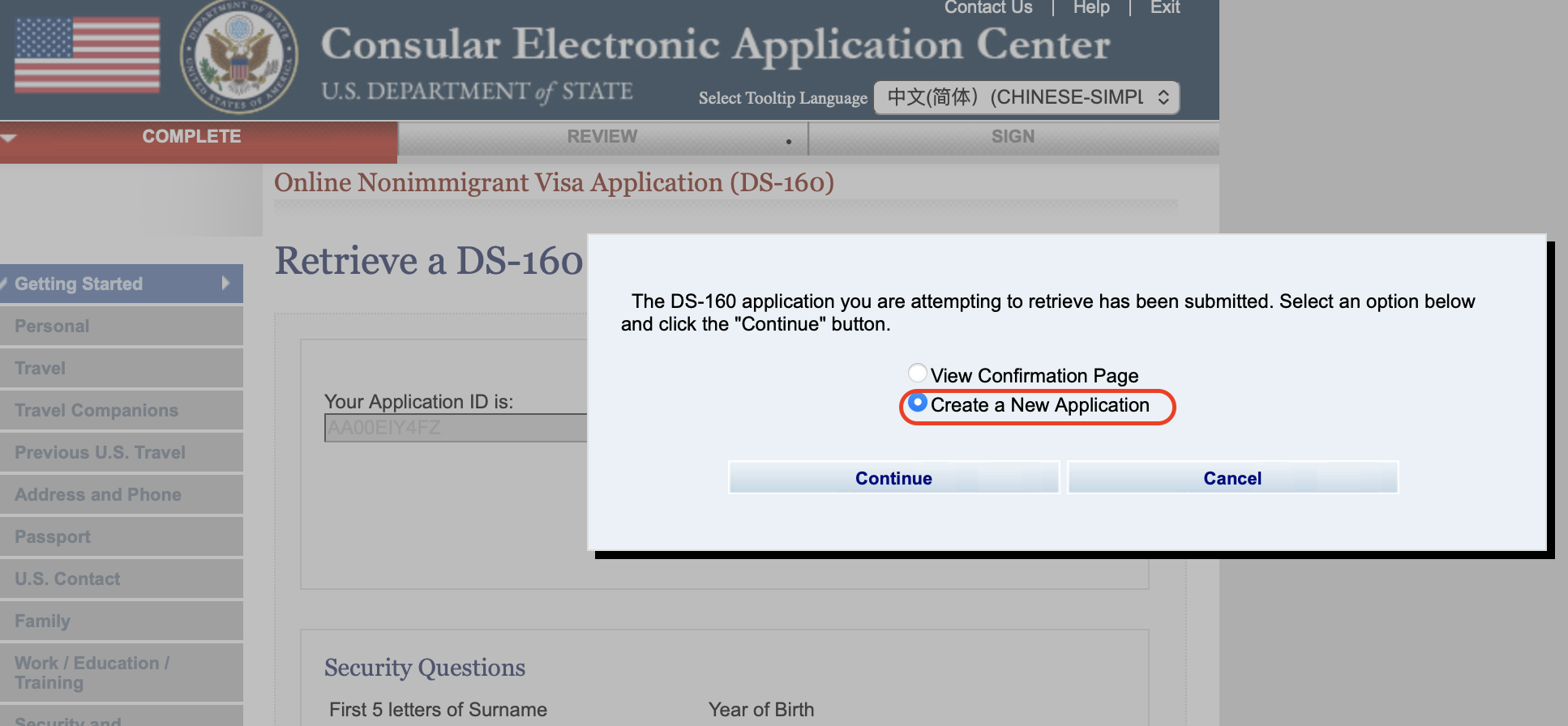
- 在填寫 surname, year of birth, 以及驗證問題之後,選擇 “create a new application”:
- 這樣創建的 DS-160 表格就已經預先填好信息了,只需要根據自己最近的情況進行一點微調就行了~
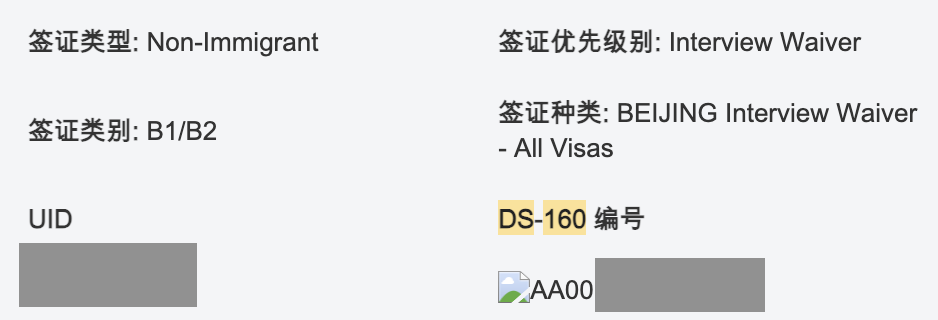
有朋友問上次的 application ID 去哪找?自己留存記錄是最方便的,如果當時沒有留存,可以在郵箱里搜一下當時的預約確認郵件,關鍵詞 “DS-160” 即可。
從此填寫 DS-160 再也不是個好幾個小時的任務了!你之前知道這個trick嗎?
HT: 美卡論壇 shangkeee。